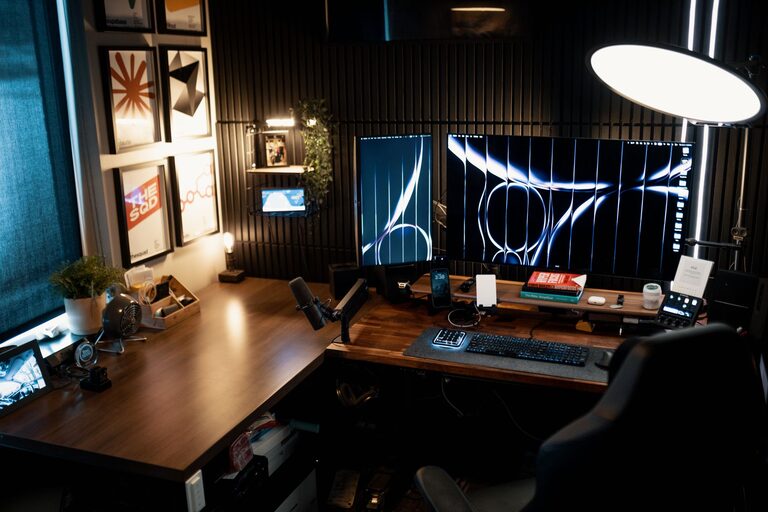

Creating a cozy and productive home workspace is essential for anyone working or studying from home. A well-designed workspace not only improves your focus but also makes your workday more enjoyable. Whether you have a small corner or a dedicated room, simple steps can help you set up an environment that supports your daily tasks comfortably. This guide will walk you through practical ideas to transform your home workspace into a place you love to be.
Why a Cozy and Productive Workspace Matters
Before diving into the setup, it’s good to understand why this balance is important. A cozy space feels inviting and reduces stress, while a productive space encourages efficiency and focus. When combined, they help you maintain motivation and prevent burnout during long hours of work.
Choosing the Right Location
Find a Quiet Spot
Look for an area with minimal distractions. A quiet corner or a room with a door can help reduce noise and interruptions.
Consider Natural Light
Natural light boosts mood and energy. Position your desk near a window to take advantage of daylight. Avoid glare on your screen by placing the window to the side.
Maximize Space
Even small areas can be functional with smart planning. Prioritize vertical storage or multi-purpose furniture if space is limited.
Essential Furniture and Layout
Comfortable Chair
Invest in a supportive chair with adjustable height and good back support. Comfort is key for long hours.
Sturdy Desk
Choose a desk at the right height that fits your needs. A surface large enough to hold your computer, notebooks, and supplies helps keep things organized.
Efficient Layout
Arrange your desk so you have easy access to frequently used items. Keep your keyboard and mouse close to avoid strain. If possible, create separate zones for computer work, writing, and reading.
Lighting Tips for Comfort and Focus
Use Layered Lighting
Combine overhead lights with task lighting like desk lamps. Adjustable lamps help you control brightness and direction.
Opt for Warm Light
Warm-toned bulbs create a cozy atmosphere that’s easy on the eyes, especially in the evening.
Reduce Screen Glare
Position lights to avoid reflections on your screen. Use blinds or curtains to control sunlight when necessary.
Organizing Your Workspace
Declutter Regularly
Remove items that aren’t needed daily. A clean space helps clear your mind.
Use Storage Solutions
Shelves, drawers, and organizers keep supplies neat and within reach. Label containers for quick access.
Manage Cables
Cable organizers or clips prevent tangles and create a tidier look.
Personalize Your Space
Add Plants
Plants bring life and freshness to any room. They also improve air quality and reduce stress.
Include Inspiring Decor
Use artwork, photographs, or motivational quotes that make you feel positive and inspired.
Choose Calming Colors
Soft, neutral colors promote relaxation and focus. Avoid overly bright or distracting patterns.
Technology Setup
Reliable Internet
A stable connection is essential for productivity. Consider upgrading your router or using wired Ethernet if possible.
Proper Equipment
Use a good quality monitor, keyboard, and mouse. Ergonomic accessories can reduce strain.
Minimize Distractions
Turn off non-essential notifications and use apps that block distracting websites during work hours.
Establish a Routine
Set Work Hours
Define your start and end times to create boundaries between work and home life.
Take Breaks
Regular breaks refresh your mind. Stretch, walk, or practice deep breathing to stay energized.
Keep Your Space Clean
At the end of the day, tidy your workspace. A fresh start each morning fosters productivity.
Final Thoughts
Creating a cozy and productive home workspace doesn’t require expensive upgrades or a big space. With thoughtful choices about lighting, furniture, organization, and personal touches, you can build an environment that supports your best work. Start with these simple steps and adjust according to your needs to enjoy a comfortable and focused workday, every day.

Related Posts